The Software
Hardware holds the pen. Software makes it human.
Every UniProd runs Autograph, Pen Point's own suite: a handwriting engine with 5–15 versions of every letter, 40+ styles made with our proprietary font technology, and variable data straight from your spreadsheet. Designed, built and supported by the same team that builds the machine.
40+
Handwriting styles
5–15
Versions of every letter
500M+
Pieces written
110
Envelopes per hour
The handwriting engine
One letter. A library of possibilities.
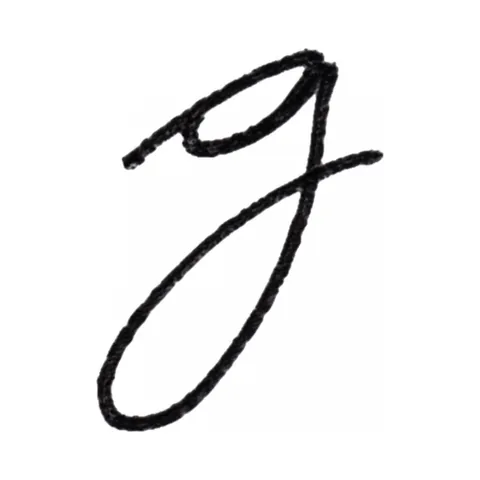
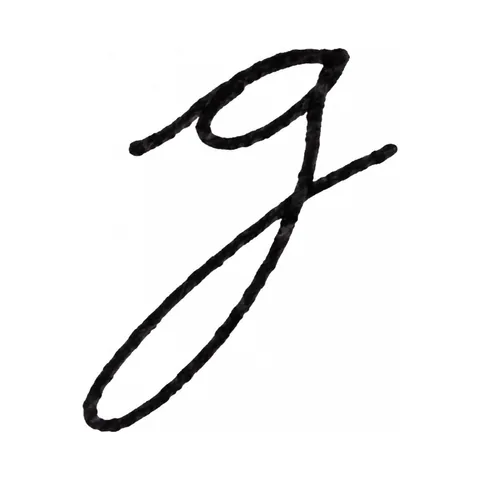
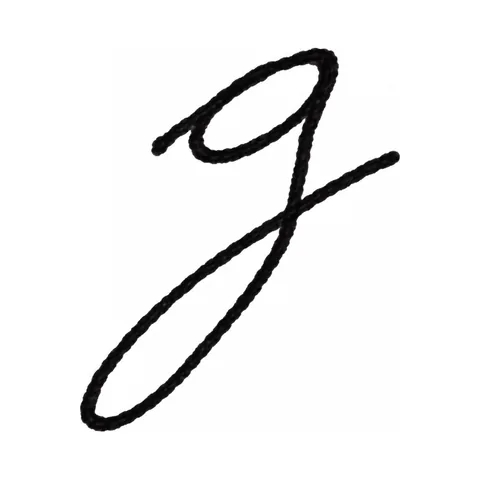
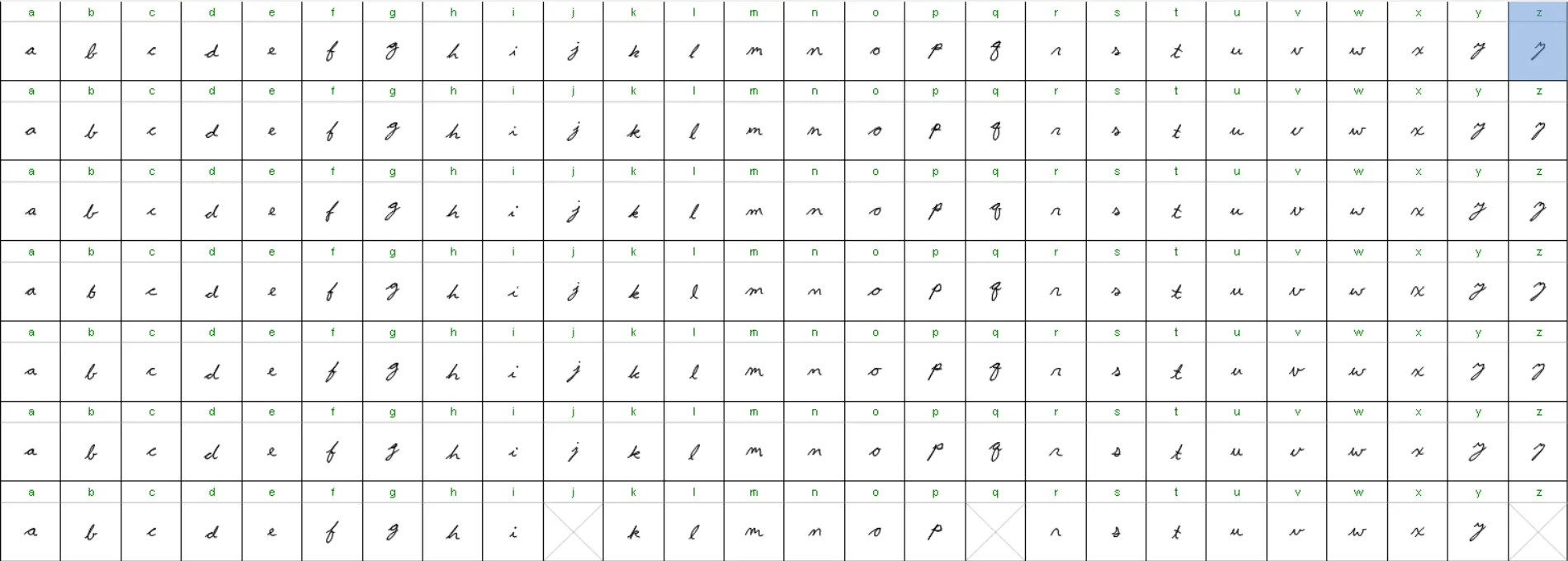
Natural handwriting has variation and imperfection, so every Pen Point style does too. Each letter exists in 5 to 15 versions, traced from one real person's hand. As the pen moves through a word, the engine picks among them, so the same word never comes out the same way twice.
On the right: seven real versions of one lowercase g from the style we call Quirky Quinn. It took three weeks to build from a single person's handwriting.
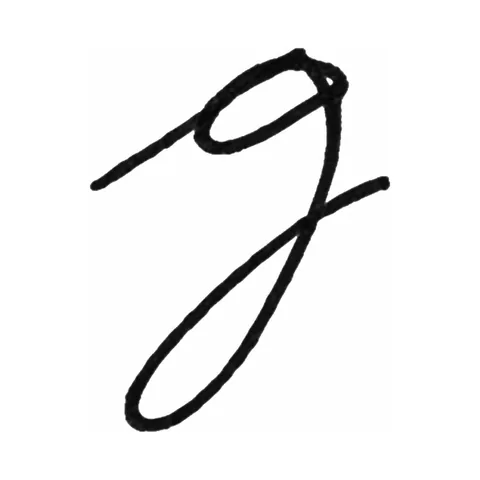
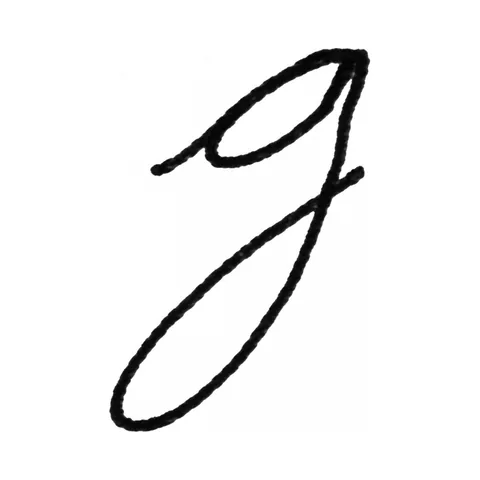
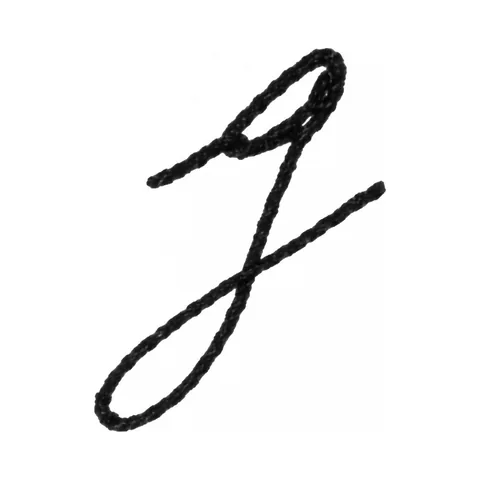
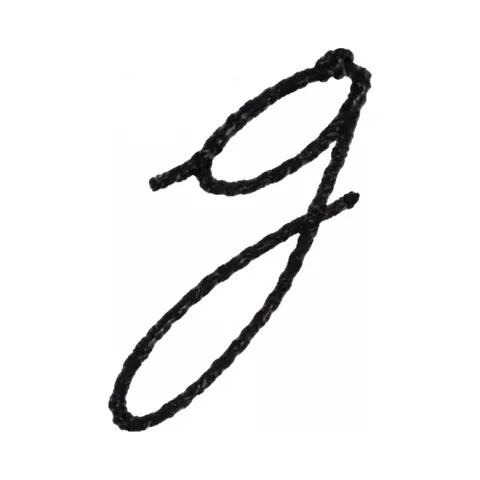
40+ styles, growing quarterly
Cursive, print and hybrid hands made with our proprietary font technology, with new styles added every quarter.
A font of your own handwriting
Send a writing sample and we build a style from it. Included with every new machine purchase.
Single-stroke signatures
Your scanned signature becomes a font the pen writes in one continuous stroke, so a real signature closes every piece.

- Entry point
- Exit point
- Stroke control points
- Baseline guides
Actual letter-development view
How a style is made
Cursive is built at the connections.
A typed font sets letters side by side. Handwriting flows. So we refine each letter together with the way it enters and leaves the next one.
- 01
Trace the penmanship.
Every style starts as one real person's handwriting, traced by hand, letter by letter. No typed font is ever the source.
- 02
Refine the connections.
Entry and exit strokes are shaped together, so cursive joins flow the way a hand would carry the pen into the next letter.
- 03
Build the versions.
Each letter goes into the library 5 to 15 times over. The engine chooses among them on every piece it writes.
Weeks of work behind a few lines. New styles arrive every quarter, and a font of your own handwriting is included with every new machine.
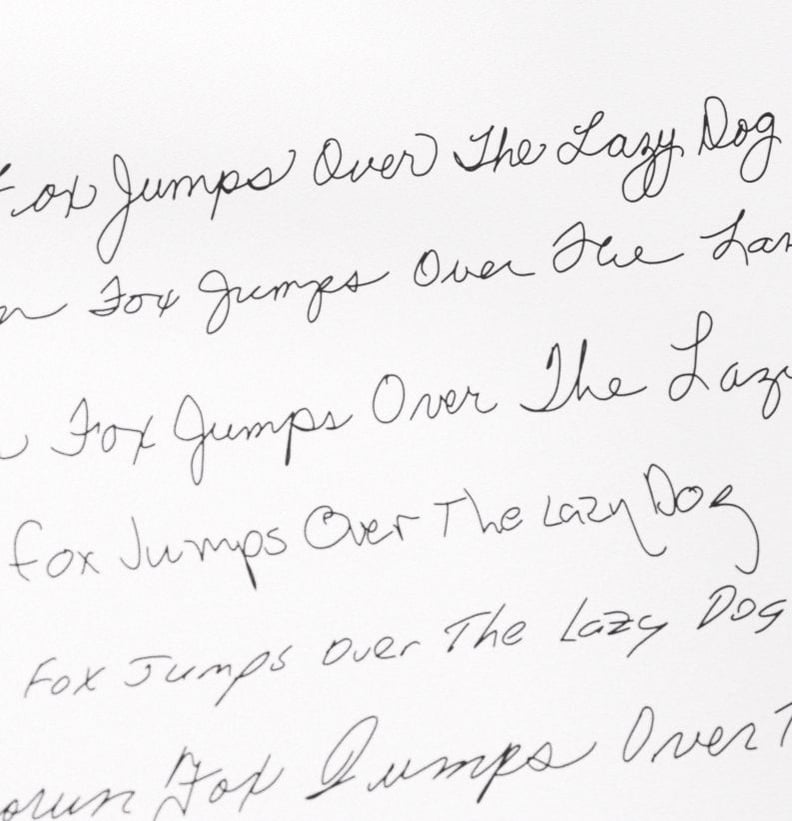
Never the same letter twice.
One sentence, written by the machine in several of its styles. Look along any line: the repeated letters are never drawn identically, because the engine is choosing a different version each time. It is why recipients cannot tell UniProd output from a person's handwriting.
Signature replication is its own discipline. See how signature machines work or read about the modern autopen.
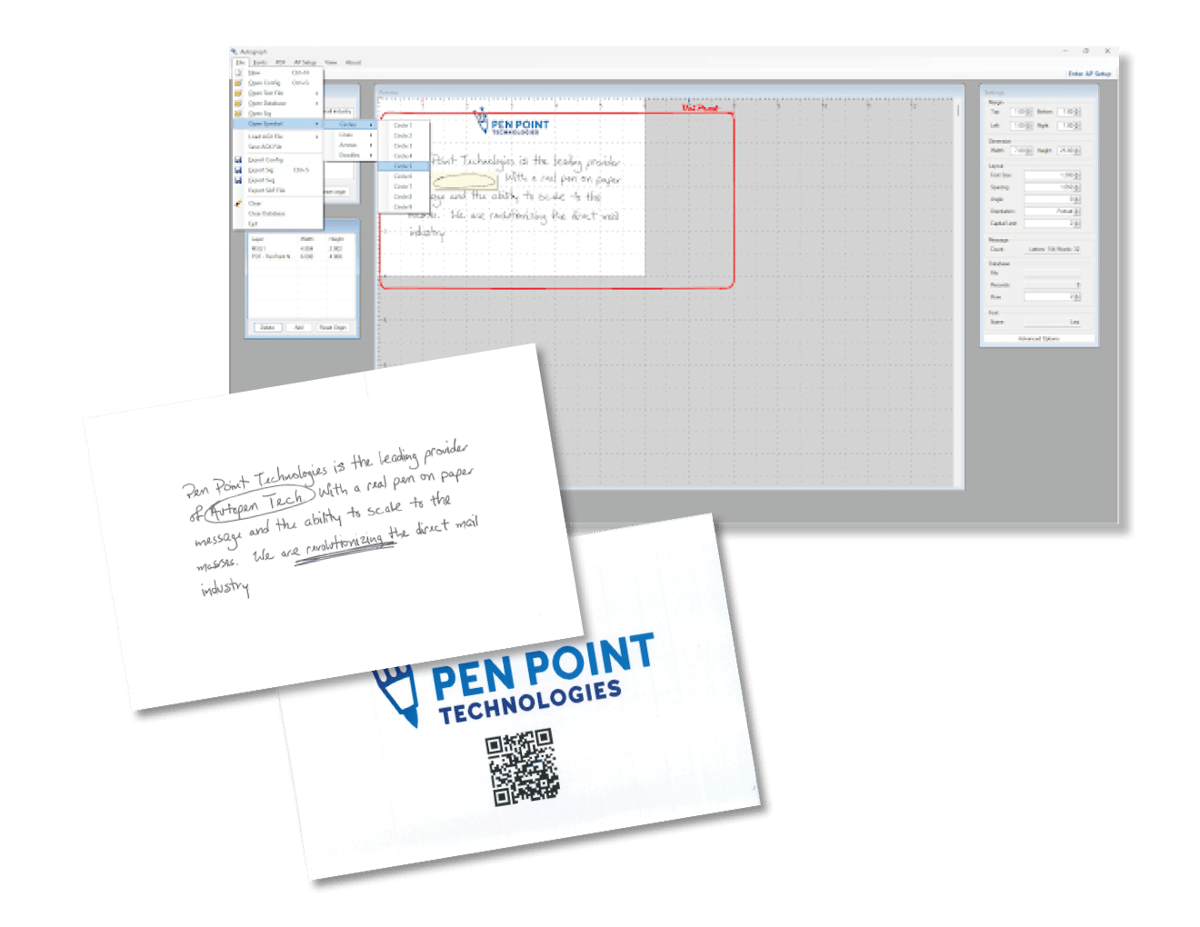
Variable data
One template. A different message for every record.
Your spreadsheet drives the pen. Any column becomes a field, and the template fills itself for every row, so a 5,000-piece run is 5,000 different notes, not one note written 5,000 times.
Autograph · Variable data
5 records · 5 fields
01 · Your list
Excel or CSV. Column headers become fields.
| # | First | Street | Custom line |
|---|---|---|---|
| 1 | Sarah | Maple Street | trusting us with the sale of your home |
| 2 | Daniel | Ridge Road | your gift to the winter coat drive |
| 3 | Priya | Harbor View Drive | your first order with us |
| 4 | Marcus | Elm Avenue | having us out to look at your roof |
| 5 | Elena | Birch Lane | another year with our agency |
02 · One template
Fields sit anywhere in the message.
03 · To the pen
Record 1 of 5
The text each piece is written from.
Names, addresses, dates, offers, promo codes.
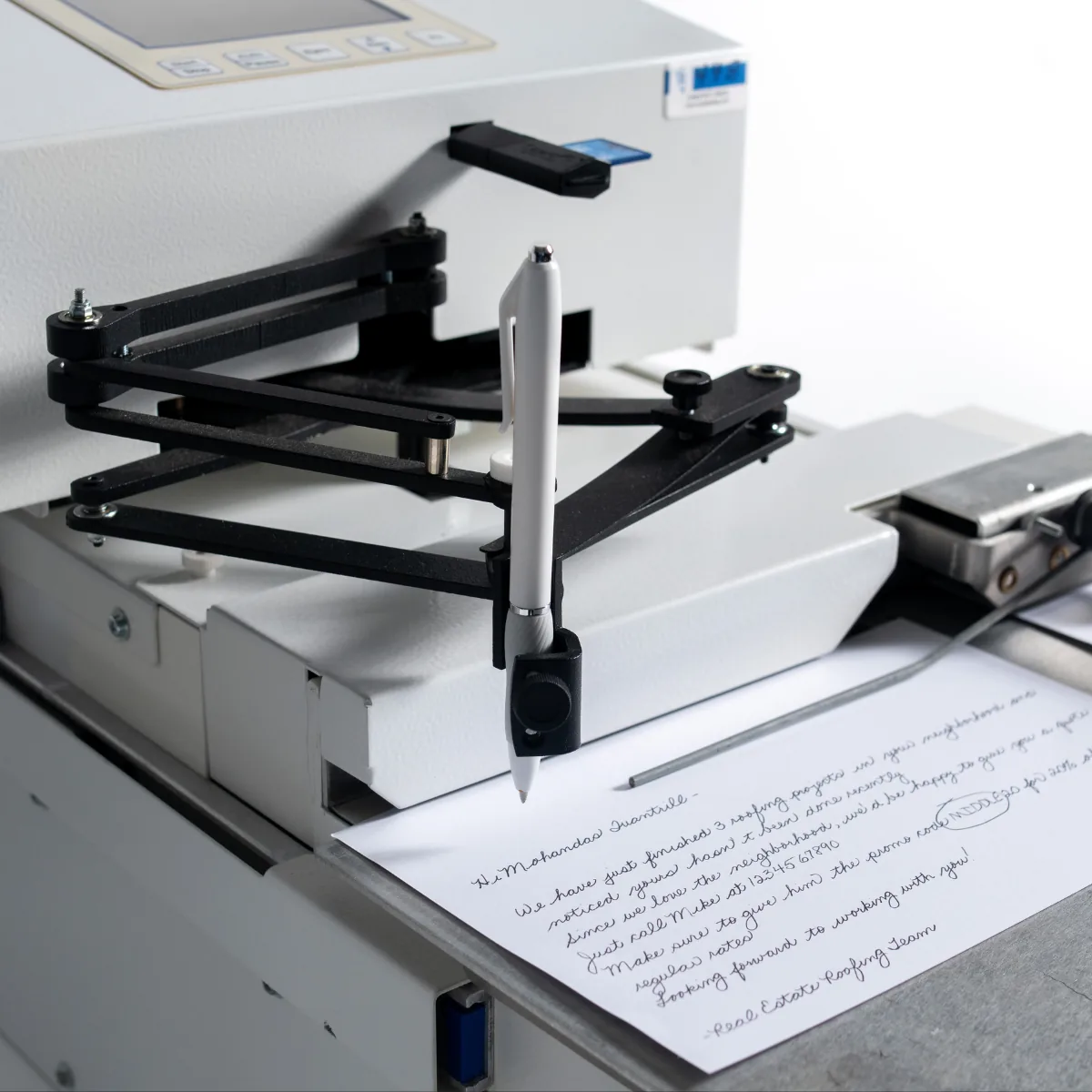
Anything in a column can be written, anywhere in the piece: the greeting, a line in the body, the envelope face, a code the pen then circles. Preview any record before the run, and the machine writes the rest unattended.
- Excel (.xlsx) and CSV, straight from your CRM export
- Fields in the message, the address block or both
- Preview any record before you run the job
- A CRM API that sends records to the machine directly is releasing soon
Job settings
Every variable in your hands.
Style, size, spacing, angle, margins, how often capitals appear. Set them once, save the template, and the next run is a file drop.
The small human moves
Underlines, circles, angled text, even intentional misspellings. The details that make a note read as written by a person, available as settings.
Templates remember all of it
Font, size, spacing, layout, messaging and data fields save together. Build a template per campaign and reuse it for years.
Signatures and symbols
A scanned signature becomes a single-stroke font. Logos, marks and symbols can be built the same way.
Job settings
Autograph
- Handwriting styleQuirky Quinn40+ styles, or a font of your own hand
- Letter variation5–15 per letter
- Font size1.00
- Spacing1.05
- Angle2°
- Margins1.00" all sides
- Capital limitNatural
- Data sourcelist.xlsx · 5,000 records
- Pen pressureMediumset on the machine
- Writing speed~2 characters / secset on the machine
The workflow
From spreadsheet to pen in four steps.
Most customers are running their first job the day the machine arrives. Here is the whole path.
- 01
Import your list
Excel (.xlsx) or CSV. Every column header becomes a field you can place in the message.
- 02
Design the template
Pick a style, lay out the piece, drop in fields, preview a record. Save it and the next run is a file drop.
- 03
Export the job
Autograph writes a SAF, the Signature Authentication File the machine reads, with every record resolved.
- 04
Send it to the machine
Over WiFi or by USB, depending on your package. Load the stack, press start, walk away.
WiFi · USB
Local install, no cloud dependency
Ships on a flash drive with your license code and installs on any Windows PC. Your mailing list stays on your computer.
Updates included
Software updates install automatically and are included for the life of the machine. New features reach your machine first.
One team, one phone number
The people who engineer the UniProd write the code it runs. Support covers both, by phone, email or Zoom.
The same suite runs on every UniProd handwriting machine, bought or rented, from a single desk to fleets of 300+.
The software comes with the machine.
Buy it outright or rent it monthly. The full Autograph suite, every style, and support are included either way.